Server Setup伺服器設定
Run /poe2-setup in any channel to configure the bot for your server. The setup walks through two steps using button selections — no text input needed. Notifications will be sent to the channel where you ran the command.
在任意頻道執行 /poe2-setup 即可設定伺服器的 Bot 配置。設定流程共兩步,全程以按鈕選擇操作,無需手動輸入文字。更新通知將發送至執行指令的頻道。
Step 1 — Choose announcement language: Select English or 中文(繁體).
第一步 — 選擇公告語言:選擇 English 或 中文(繁體)。

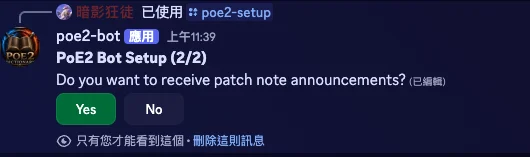
Step 2 — Enable patch note notifications: Select Yes or No.
第二步 — 是否接收更新公告:選擇是或否。
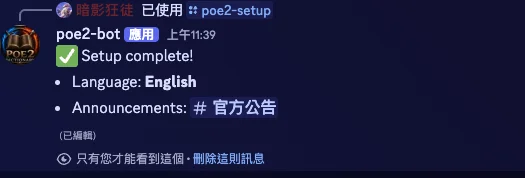
Once complete, the bot confirms your settings — language and announcement channel.
設定完成後,Bot 會顯示確認訊息,列出語言與公告頻道。